
Expert SSD Data Recovery Services: Recover Lost Files from Failed Solid State Drives
Last updated: February 1, 2026
Deleted files from your SSD? A drive that suddenly won't mount? These scenarios are more common than you might think — SSDs are masters of the silent failure, vanishing your data without the dramatic clicks of old hard drives. The good news is that professional SSD data recovery is often successful, even when standard software throws in the towel.
At eProvided, we specialize in retrieving data from failed, formatted, corrupted, or physically damaged solid state drives, including dead SSD and SSD failure cases. Whether it's an internal NVMe, M.2, SATA, PCIe SSD, a dead SSD, or an external portable model from Samsung, SanDisk, WD, or any brand, our engineers have the tools and experience to get your files back.

SSDs deliver incredible speed and reliability in everyday use, but failures can strike without warning. Common triggers include controller failure, power surges, wear exhaustion, firmware corruption, or physical drops. The TRIM command — designed to keep performance snappy — can make deleted files harder to recover with basic tools. Fortunately, our lab bypasses these hurdles by reading directly from the NAND flash memory chips.
We’ve recovered data from thousands of SSDs that others considered hopeless. From vital business documents to priceless family photos, we handle every case with urgency and precision. Many clients reach out after accidental formatting or deletion, fearing permanent loss. In most situations, advanced SSD data recovery techniques restore everything, even from drives that seem completely dead.
Our expertise covers all major manufacturers and the latest standards, including PCIe 5.0 and NVMe drives from the NVM Express organization. We prioritize strict confidentiality and secure handling throughout the process.
Ready to recover your files? We provide a free evaluation and no-data, no data recovery fee guarantee.
Every data recovery SSD case starts with that free evaluation — ship us the drive, we diagnose it, and you only pay when we deliver your files.
Table of Contents
Why Choose eProvided for SSD Data Recovery?
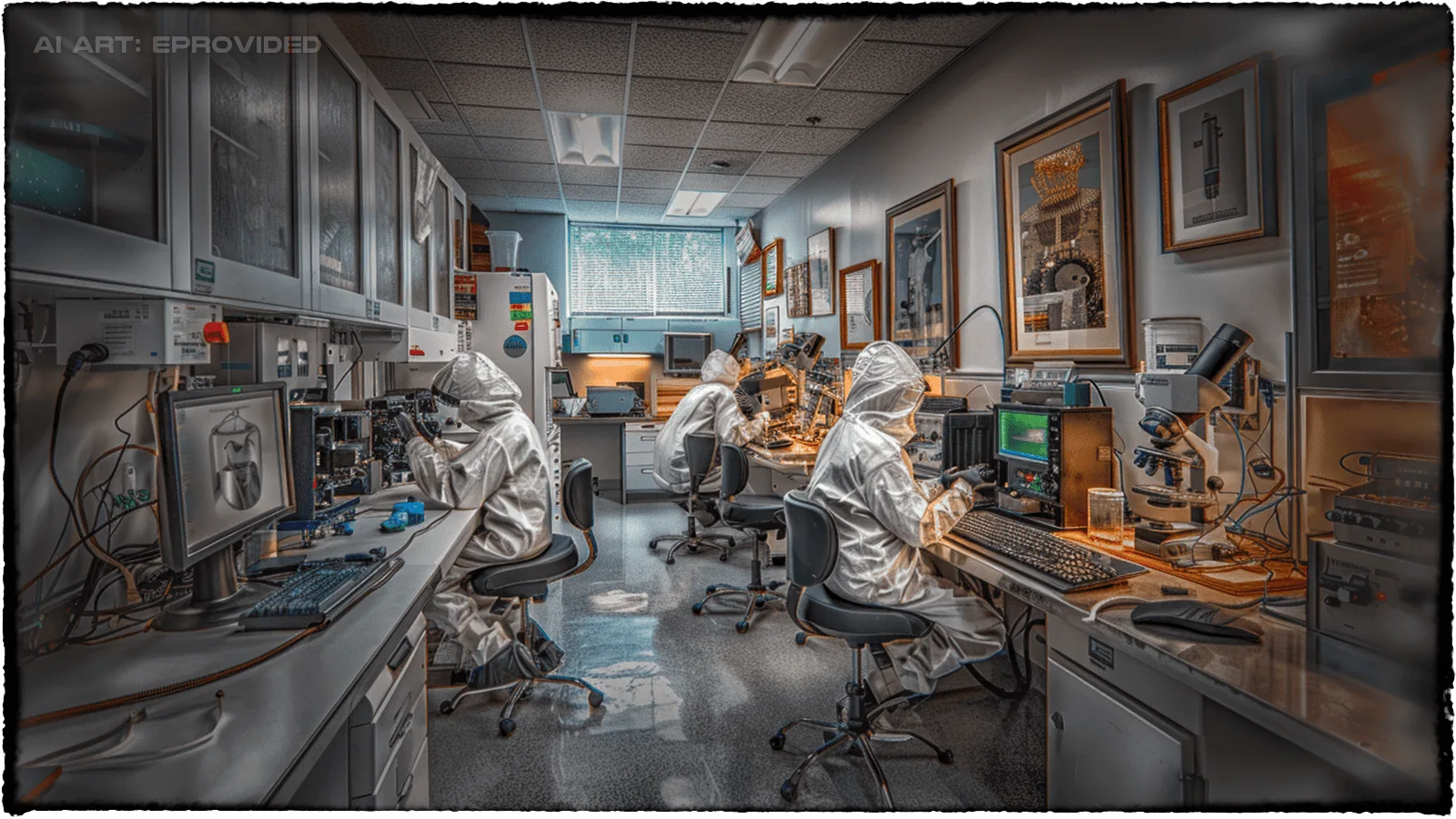
With over 25 years in the field, eProvided has built a reputation for tackling the toughest SSD cases. We’ve been used by NASA JPL on critical missions, including recovering saltwater-submerged data from the Helios mission. Learn more about our work with NASA.
Recent industry reports, such as Backblaze's Q3 2025 Drive Stats, show SSDs maintaining exceptionally low annualized failure rates — often below 1% for many models. Even with this reliability, failures happen, and that’s where our high success rate and transparent no-recovery, no-charge policy shine.
Clients praise our clear communication, regular updates, and ability to succeed where others failed. We never suggest risky DIY tools that could overwrite data permanently. Instead, we use specialized equipment and direct NAND access to maximize safe recovery.
From personal drives to enterprise NVMe arrays, we deliver the same level of expertise to every client.
Common Signs Your SSD May Be Failing
Recognizing early warning signs can prevent total data loss. Here are the most frequent indicators:
- Frequent crashes or blue screens during read/write operations
- Files becoming corrupted or inaccessible
- Slow performance despite sufficient free space
- The drive disappearing from BIOS or operating system
- Strange errors like "disk not initialized" or "file system requires repair"
- Bad blocks reported by diagnostic tools
If you notice any of these, stop using the drive immediately and start a free evaluation with us.
Our SSD Recovery Process

Once your drive arrives, we perform a free diagnostic evaluation. Engineers analyze the controller, firmware, and NAND chips to identify the optimal recovery path.
Logical issues (deletion, formatting, corruption) are typically resolved quickly in our lab. Physical problems may require component replacement, firmware repair, or chip-off extraction.
We supply a secure file list for your review. You only pay after approving recoverable data. Files return on a new encrypted drive or via secure download.
Standard turnaround runs 3–7 days, with rush options for emergencies. This proven process has helped countless clients recover from everything from simple deletions to severe physical damage.
Ship your SSD today for a free quote and take the first step toward recovery.
Advanced NAND Flash & Chip-Off Recovery Techniques
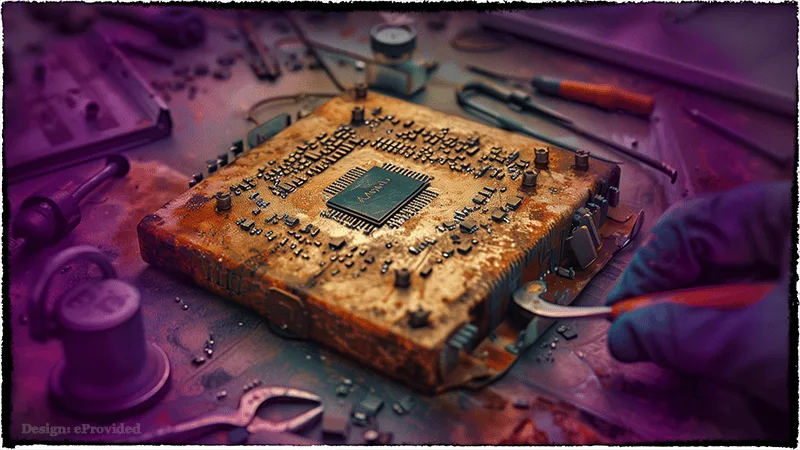
Many severe failures demand chip-off recovery: physically removing NAND flash chips and reading them with specialized adapters. This bypasses failed controllers, damaged PCBs, and encryption.
Our engineers specialize in SLC, MLC, TLC, and QLC architectures (learn more about SLC, MLC, TLC, and QLC NAND differences). We manage wear-leveling, XOR scrambling, and error correction to reconstruct files accurately.
Chip-off proves especially effective for water-damaged, dropped, or surged drives. It has rescued data in countless complex failed SSD data recovery cases.
For devices where the entire storage architecture is NAND-based — such as USB flash
ndrives, smartphones, tablets, and embedded eMMC chips — our dedicated
NAND flash data recovery service
naddresses chip-level failures that fall outside standard SSD recovery scope. eProvided
nrecovers raw NAND dumps from monolithic chips, multi-chip packages, and bare NAND dies
nwith no working controller.
Explore more in our blog post on NAND flash recovery techniques or SSD drive recovery and NAND chip technology.
PCIe, NVMe, M.2 & External SSD Recovery
Today’s high-performance SSDs rely on PCIe and NVMe protocols for exceptional speeds. We recover data from all generations — PCIe 4.0, 5.0, and beyond — including Samsung 980/990 PRO, WD Black, and enterprise models.
External portable SSDs like Samsung T7/T9, SanDisk Extreme, and WD My Passport are prone to drops and connector issues. Our lab regularly restores files from unrecognized USB-C enclosures and encrypted external drives.
Regardless of interface — SATA, NVMe, or PCIe — we possess the adapters and expertise to access raw NAND when necessary. External SSD data recovery ranks among our most frequent requests, with consistently strong success rates.
Our ssd drive recovery process covers every controller family — Sandforce, Marvell, Phison, Silicon Motion, and Samsung’s in-house silicon — so the make of the drive never blocks access to your data.
Internal or external, brand-new or years old — we apply the same rigorous methods to give your data the best chance.
All SSD Form Factors Supported
SSD Form Factor Comparison
We also handle counterfeit or low-quality SSDs that fail prematurely. Professional SSD data recovery works across every form factor with the right expertise.
Our lab supports all solid state drive and SSD failure recovery designs, maximizing restoration chances regardless of physical layout.
NVMe & M.2 SSD Failure — Dead Drive Recovery Options
M.2 NVMe drives fail differently than SATA SSDs — and faster. The compact form factor runs hotter, and the controller is more tightly integrated with the NAND, meaning a controller failure often takes everything with it. Common M.2 NVMe failure scenarios we recover from:
- Dead on boot — drive not detected in BIOS after a power cycle, shutdown, or system update
- Firmware corruption — common after interrupted firmware updates or power loss mid-write
- PCIe lane issues — drive detected but inaccessible, showing as RAW or unallocated
- Physical damage — snapped M.2 connectors, bent PCBs from laptop drops
- Overheating failures — throttling that progressed to permanent controller damage
Can an M.2 NVMe SSD be repaired? In most cases, the drive itself cannot be repaired to working condition — but the data can be recovered. Our engineers bypass the failed controller entirely using chip-off NAND extraction, reading your files directly from the memory chips. The process works on all M.2 form factors (2242, 2260, 2280) and interfaces (NVMe PCIe Gen 3, Gen 4, Gen 5).
Popular models we recover from include WD Black SN770/SN850, Samsung 980 Pro/990 Pro, Sabrent Rocket 4 Plus, Seagate FireCuda 530, and Kingston Fury Renegade. If your M.2 NVMe drive has stopped working, a free evaluation is the right first step — not a DIY firmware tool that could permanently overwrite your data. Call 866-857-5950 to get started.
What Our Customers Say

“I sent my damaged SSD to eProvided for the recovery of my essential files and cherished pictures… Their service successfully retrieved everything, and I couldn't be happier… The level of communication they maintained from the beginning to the end was truly excellent. I wholeheartedly recommend eProvided.”
— S.R., October 2023
“Had severely corrupted micro sd card. eProvided recovered the photos… Bruce and his crew worked hard to recover our valuable pictures. Thanks Bruce and your crew. I highly recommend this company.”
— T.M., November 2025
“They recovered data from my saltwater-damaged phone after it sat in a pool for 20 minutes… It took time, but they delivered. Great communication throughout.”
— K.L., December 2025
Frequently Asked Questions About SSD Data Recovery
Can data be recovered from a failed SSD?
Yes, in most cases. Even with TRIM enabled or physical damage, professional labs like eProvided can often recover data using advanced NAND chip-off techniques and direct memory access.
Is SSD data recovery possible after formatting or deletion?
It is often possible, especially if the drive hasn't been heavily reused. Professional engineers bypass TRIM by reading directly from the NAND chips.
How much does professional SSD data recovery cost?
We offer a completely free evaluation. You only pay if we successfully recover your files—no data, no data recovery fee.
How long does SSD data recovery take?
Standard turnaround is 3–7 business days. Rush and emergency options are available.
What makes SSD recovery different from traditional hard drive recovery?
SSDs use complex wear-leveling, encryption, and TRIM, scattering data across chips. This requires specialized tools to read raw NAND memory directly.
Do you recover data from NVMe, M.2, PCIe, and external SSDs?
Absolutely—we handle all form factors and interfaces from any manufacturer.
Why isn't my NVMe SSD detected in BIOS?
When an NVMe SSD vanishes from BIOS, it's almost always the controller — not the NAND. We see this every week at the lab: a Samsung 990 Pro or WD Black SN850 that boots fine one morning and is gone the next. The usual culprits are a failed controller, a firmware update that got interrupted, a damaged PCIe lane, or an M.2 slot that's been stressed by heat. Whatever you do, stop cycling power to the drive — every retry burns wear cycles and can push a recoverable failure toward a dead one. Ship it to us for a free evaluation and we'll read the data straight off the NAND chips if the controller can't be revived.
Can a dead M.2 SSD be recovered?
Yes, in nearly every case — even when the drive itself is finished. The M.2 module may never run again, but your files usually can. Our engineers pull the NAND flash chips off the PCB and read them directly using chip-off tools, skipping the dead controller entirely. We recover from every M.2 form factor you'll find in a modern laptop or desktop — 2242, 2260, and 2280 — across PCIe Gen 3, Gen 4, and Gen 5 drives. Brands we see most often: Samsung 980 Pro, 990 Pro, WD SN770, SN850, Sabrent Rocket 4 Plus, Seagate FireCuda 530, and Kingston Fury Renegade.
How is NVMe data recovery different from SATA SSD recovery?
NVMe is faster, hotter, and a lot less forgiving. Because the controller sits right on top of the NAND and everything runs over PCIe, one bad component usually takes the whole drive down at once. A SATA SSD will often warn you first — slow reads, bad blocks, the occasional crash — before it dies. An M.2 NVMe drive just disappears from BIOS and that's that. On our side, NVMe cases need PCIe-specific test hardware, controller-bypass tooling, and NAND expertise tuned for the dense TLC and QLC chips that dominate modern M.2 drives.
What causes NVMe SSD controller failure?
Heat is the biggest one. M.2 slots without heatsinks throttle hard, and repeated thermal cycling wears the controller out faster than the NAND. After that: power surges, firmware updates that lose power halfway through, a laptop that got dropped hard enough to crack the PCB or snap the M.2 connector, and counterfeit drives using recycled NAND. The good news — the NAND chips almost always survive all of this. It's the silicon reading them that quits, which is exactly why chip-off recovery works when software tools show "drive not detected."
Can you recover SSD drives that won’t initialize or show zero bytes?
Yes. When an SSD fails to initialize or reports 0 bytes, the controller has entered a protected “panic” mode. Our data recovery SSD process reads directly from the NAND chips to recover SSD data that sits behind a failed controller. This ssd drive recovery workflow is identical whether the drive fails to POST, disappears from BIOS, or locks itself during a firmware rollback — if other labs told you the drive is dead, we can usually still recover SSD contents at the chip level.
Can you recover data from an encrypted SSD or self-encrypting drive (SED)?
Yes, with one important caveat. Self-encrypting drives — Opal, BitLocker-protected, and hardware-encrypted SED units from Samsung, Crucial, Seagate, and Kingston — still store your data on NAND chips. The chips just return ciphertext until the drive's authentication runs. Recovery splits into two paths. If you have the password, recovery key, or BitLocker recovery key, we run chip-off NAND extraction and decrypt the image with your key. We have done this on Samsung 970 EVO Plus SED, Samsung 980 Pro encrypted, Crucial MX500 with Opal enabled, BitLocker-protected Microsoft Surface internal SSDs, and Kingston KC600 SED. If the key is lost, the data is mathematically inaccessible by design. We tell you that during the free evaluation, before you ship. No false promises on encrypted recoveries.
Do you recover data from external and portable SSDs like Samsung T7, WD My Passport, and SanDisk Extreme?
Yes. External and portable SSDs are one of our most common case types. Samsung T7 and T9, SanDisk Extreme Pro Portable, WD My Passport SSD, Crucial X8 and X9, LaCie Rugged SSD, and Lexar SL-series all use the same NAND technology as internal drives, with a USB-C bridge controller in front. When the bridge dies, the drive shows up as "USB device not recognized" or refuses to mount on macOS or Windows. We bypass the bridge controller. Our chip-off process pulls the raw NAND off the internal PCB and rebuilds your files. Drops, water exposure, snapped USB-C ports, and password-locked enclosures are all recoverable. We also handle business-grade encrypted portable SSDs from Kingston IronKey, Apricorn Aegis Fortress, and SanDisk Extreme Pro v2. The encrypted enclosure versions follow the same workflow as the SED question above — key required.
SSD Failure & SSD Data Recovery Service for 2024-2026 Failure Scenarios
SSD failure in 2024-2026 looks different than five years ago. Modern controllers, DRAM-less designs, NVMe Gen4/Gen5 interfaces, and TLC/QLC NAND each introduce specific failure modes our recovery specialists handle every week. Below are the dominant scenarios driving current SSD data recovery service requests — including SSD drive recovery and NVMe data recovery from drives Windows or Mac no longer detect.
Modern controller-level failures:
- Phison E12/E16 controllers + Windows 11 24H2 timeout (KB5063878) — the August 2025 Windows update introduced sustained-write timeouts that drop the entire SATA bus on Phison-controlled drives. Drives stop responding mid-write; data is intact but the controller needs hardware-level intervention.
- Samsung 990 Pro and 980 Pro sudden death — the drive disappears from BIOS/OS under sustained load, requiring a power cycle that may or may not bring it back. Samsung firmware updates partially mitigated, but failed drives need controller-bypass recovery.
- WD SN770 and SN580 BSOD — the October 2024 Windows 11 24H2 host memory buffer (HMB) allocation issue caused widespread blue screens and FTL corruption. Recovery requires reading raw NAND and reconstructing the file table.
- Maxio MAP1602 power-loss FTL corruption — Kingston NV2, Acer FA200, and other budget NVMe drives using DRAM-less Maxio controllers are vulnerable to file translation layer corruption when power is interrupted during a write. Drive reports zero capacity or “0 bytes” on subsequent boot. Recoverable via direct NAND extraction.
Failure mode vocabulary we recover from:
- Read-only mode — controller enters protective state after detecting uncorrectable ECC errors
- BSY (busy) lockup — drive stuck processing internal tasks, ignores host commands
- “0 bytes” / “0GB” reporting — FTL mapping table corruption, common after power loss
- Write amplification runaway — QLC drives under heavy write load trigger garbage collection loops
- Wear leveling exhaustion — spare blocks depleted, drive locks against further writes
- Encryption / Opal SED lockout — password loss with hardware-encrypted drives
- Firmware bug recovery — legacy: Samsung 840 EVO read-speed degradation, Crucial M4 5,000-hour bug, Intel 320 8MB bug. Modern: Phison Win11, WD HMB.
Interfaces and form factors we handle: SATA III (2.5″ + mSATA), NVMe Gen3/Gen4/Gen5 over PCIe, M.2 2230, 2242, 2260, 2280, 22110, U.2 / U.3 enterprise, and emerging E1.S / E3.S datacenter form factors. AHCI vs NVMe protocol differences matter for recovery — NVMe drives need different chip-off equipment than SATA SSDs because of NAND layout and signaling differences.
Recovery hardware we use: PC-3000 SSD by ACE Lab (industry standard, NVMe modules for Phison/Silicon Motion/Samsung/WD controllers), MRT (superior Phison/SMI coverage on newer chipsets), DeepSpar Disk Imager (hardware bridge for unstable drives with bus timeouts), and universal NAND programmers for raw die reads when controllers cannot be revived.
NAND technology recovery implications: TLC (3-bit per cell) holds majority market share; QLC (4-bit) is expanding for high-capacity budget drives. DRAM-cache SSDs are easier to recover than DRAM-less + HMB drives because the host doesn’t need to flush mapping tables to NAND on shutdown. Wear leveling distributes writes across blocks; ECC corrects bit errors in real time. When ECC overflow exceeds correctable thresholds, the drive marks blocks bad until spare pool exhausts — at which point professional SSD drive recovery via hardware extraction is the only path. We have processed every consumer and enterprise SSD architecture sold in the US since 2008.